| |
Major "G Lens" Features on HVR-Z5E
- The 29.5mm wide-angle "G Lens" (equivalent to
35mm film) on the HVR-Z5E offers a field of view that's ideal
for shooting situations ranging from broad landscape shots to
conditions where sufficient distance from the subject is
difficult to obtain. A 20x optical zoom also enables shooting
over a wide zoom range.
- Two ED (Extra-low Dispersion) glass elements reduce
chromatic aberrations caused by differences in light refraction
to minimise colour fringing. The advanced 10-group, 15-element
lens structure also includes compound aspheric lenses for images
that are crisp and clear even when shooting movies at high zoom
ratios.
- Advanced optical lens technology makes the most of Sony's 3
ClearVid CMOS Sensor to realise sharper images with higher
resolution and less noise even when shooting in very low light.
- The six-blade iris diaphragm is nearly circular, enabling
the creation of extremely beautiful background blur.
Natural-touch Lens Operation
Newly designed focus, zoom and iris control
functions provide convenient lens operation. The iris ring, located
next to the zoom ring as with traditional professional lenses,
allows users to adjust exposure with great precision. The zoom
function is variable and can be controlled by using the lens barrel
ring, the lever at the lens grip or lever on the camera handle.
Additionally, once you select the high-speed zoom mode, you can zoom
from wide to telephoto 1.5x faster than with the HVR-V1E.
The HVR-Z5E also provides 3 built-in ND (Neutral Density) filters
and allows the use of an optional 0.8x wide conversion lens.
1/3 inch-type 3 ClearVid CMOS Sensor system
The newly developed 1/3-inch type 3 ClearVid CMOS Sensor system has
45-degree rotated pixels on each chip in order to increase the
signal density, while each pixel maintains sufficient surface area.
In combination with Enhanced Imaging Processor™ (EIP), the 3
ClearVid CMOS Sensor system achieves high resolution, high
sensitivity, wide dynamic range, and excellent colour reproduction.
The pixel shift interpolation technique has been traditionally used
in small 3CCD camcorders. However, it normally requires the
combination of all three colour element (RGB) signals to maximise
resolution. If an object lacks one or more colour elements, the
resolution of the object may be degraded.
The 3 ClearVid CMOS Sensor system is different because it can always
produce maximum resolution, regardless of the balance between colour
elements, thanks to its unique and sophisticated interpolation
technology.
Enhanced functionality with the technology of
Exmor
Exmor technology, which utilises the full potential of the 3
ClearVid CMOS Sensor system. Exmor features the column-parallel A/D
conversion technique and the dual noise cancelling method also used
in the Sony's top-of-the-line models.
Multiple A/D (analogue to digital) converters on each pixel row
convert analogue signals to digital as soon as they are generated,
unlike traditional technology that only has one A/D converter on
each chip.
Exmor technology can eliminate the influence of external noise that
enters the signal chain during transfer to the A/D converter,
resulting in high-quality digital signals with extremely low noise.
This significantly enhances shooting in low-light environments.
By adopting this groundbreaking technology, the new 1/3-inch 3
ClearVid CMOS Sensor system enables the HVR-Z5E to achieve a low
light sensitivity of just 1.5 lux*
* At 1/25 shutter, auto iris and auto gain
Switchable Recording and Playback - HDV1080i/DVCAM/DV
The HVR-Z5E can switch between HDV 1080i, DVCAM and standard DV
recording, providing the ultimate flexibility to suit your
production needs. 60Hz operation for 1080/60i/24p/30p plus SD 480i
is available through a chargeable service upgrade
Selectable Progressive Modes
The HVR-Z5E has two types of progressive shooting modes.
- 25p HDV Native Progressive Recording Mode
The HVR-Z5E camcorders newly feature 25p native progressive
recording mode. The 3 ClearVid CMOS Sensor system and EIP create
true 1080p images, which can then be recorded as progressive
signals by the HVR-Z5E camcorder in HDV format.
The progressive HDV stream can be output from an i.LINK
connector and used for progressive editing with compatible NLE
software. Native progressive recording modes are suitable for
output to film, CG composition, viewing on a progressive
monitor, or as an Internet movie. Note: interlaced video is
output from connectors other than i.LINK.
- 25p Progressive Scan Mode
In this mode, the 1080p image captured by the 3 ClearVid CMOS
Sensor system is also recorded as an interlaced signal by
dividing each frame into two fields. This enables compatibility
with current editing and monitoring equipment that only accept
interlaced signals, while maintaining the quality of the 1080p
image.
Built-in Down-converter for SD Production
Output a down-converted video signal through the i.LINK interface
and other SD output connectors. This allows users to edit recorded
material with a compatible non-linear editing system using current
DV editing software, as well as record SD signals to an external VTR.
* Letterbox mode is not available from the i.LINK connector. i.LINK
is a trademark of Sony used only to designate that a product
contains an IEEE 1394 connector. Not all products with an i.LINK
connector will necessarily communicate with each other. For
information on compatibility, operating conditions, and proper
connection, please refer to the documentation supplied with any
device with an i.LINK connector. For information on devices that
include an i.LINK connection, please contact your nearest Sony
service centre.
Versatile Audio Input Selection
The HVR-Z5E features versatile audio input selection with a newly
designed high-quality built-in stereo microphone, as well as two XLR
audio input channels for professional microphones or connecting to
an external-line audio source.
By adjusting the INPUT ASSIGN switch located on the side panel of
the HVR-Z5E, you can easily assign the 2 audio input channels to the
built-in stereo microphone, external-line audio, or dedicate one
channel to each and record them separately or mixed. When assigned
to one channel, the built-in stereo microphone acts as a
wide-directional monaural microphone.
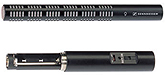
The high quality ECM-XM1 monaural microphone is a supplied accessory
with the HVR-Z5E.
XtraFine™ LCD Panel
A 3.2-inch type XtraFine LCD is located on the HVR-Z5E in the same
position as on the HVR-Z1E. With approximately 921,000 pixels, this
is 4x greater than the LCD of the HVR-Z1E. The XtraFine LCD displays
virtually 100% of the recorded picture area at 6500K colour
temperature.
XtraFine EVF
The 0.45 inch type XtraFine EVF (Electronic View Finder) has
approximately 1,227,000 pixels (852x3[RGB]x480). This device has
three independent LEDs for Red, Green, and Blue colours. This
technology allows users to monitor objects with remarkable colour
reproduction accuracy and high resolution*. The EVF has a selectable
display mode between Colour or Black and White. The Xtra Fine EVF
displays virtually 100% of the picture area at 6500K colour
temperature.
* When the camcorder is panned quickly or when an object in the
screen moves quickly, the primary colours of R/G/B may be seen on
the object in the EVF momentarily.
InfoLITHIUM™ L Series Battery Compatibility
The HVR-Z5 uses the same batteries as the HVR-Z1, HVR-V1, and
DSR-PD170P, so you can use your existing chargers and batteries.
HDMI output connector
Uncompressed digital HD video and audio signals are output from the
HDMI connector. You can see stunning HD images on an HDMI-compatible
monitor display. During shooting, a pre-compressed 1920x1080i/4:2:2
signal is output from the HDMI connector
Two Accessory Shoe Connectors
The HVR-Z5E features two accessory shoe connectors. One is a cold
shoe on the top of the microphone unit at the front, and the other
is a screw-hole type shoe located on the handle. The rear side shoe
can be changed to a cold shoe using supplied parts.
One-touch Clip-type Microphone Holder
A one-touch clip-type microphone holder makes it easy to attach and
remove the microphone for quick setup/storage.
Smooth WB (white balance)
The Smooth WB feature is a smooth transition white balance system
that avoids unnaturally sudden colour temperature changes between
preset white balance settings. This function is useful when you move
from an artificial, low-light environment inside a building, to
bright natural sunlight outside.
Smooth Gain
The Smooth Gain function is a smooth transition gain system that
avoids sudden brightness changes caused by manual gain-level
adjustment. With this function, the brightness changes gradually
when the gain-level position is switched and avoids any sudden,
unwanted iris adjustment.
Negative Gain
Negative gain settings of -6 and -3 dB have also been added to help
reduce sensitivity under bright lighting conditions. When the iris
needs to be opened to create a short depth of field, a suitable
brightness level can be achieved with this function.
AGC Range Configuration
The range of the AGC (Automatic Gain Control) function can be set by
assigning its upper and lower limits. The use of minus gain can be
achieved by setting the lower limit of the AGC. Once MINUS AGC is
set to ON, the minimum AGC parameter is set to approximately -3dB.
If you set it to OFF, the minimum AGC parameter set to 0dB.
Advanced Histogram
The Histogram Indicator for brightness can be displayed on the LCD
monitor and viewfinder, allowing operators to easily evaluate the
brightness of captured images. A target window appears in the centre
of the screen and the brightness level is indicated by a vertical
red line in the histogram. The zebra indicator level appears as a
yellow vertical line in the histogram as a reference for proper
exposure.
Picture Profile™
Up to six different picture-quality settings, including gamma and
colour settings can be registered in the memory as picture profiles.
Colour Depth
Generally, the brightness of a video image increases as the colour
level becomes more vivid. In these new camcorders, the brightness
and colour level are processed independently so that more flexible
tone - for instance, a dark image with vivid colour - is realized by
3D-LUT* colour processing.
Colour Correction
The Colour Correction function of the HVR-Z1E has been improved in
the HVR-Z5E. Colour Correction provides two functions for creative
shooting. The Colour Extraction function can retain up to two
desired colours of monitored pictures on the screen, while making
all other colours black and white. The advanced function allows
users to select the colour simply by pressing a button to memorize
the centre colour of the captured image
The Colour Revision function can change the hue of the colour
specifically designated by the Colour Extraction function. This
function is good not only for creating impressive images, but also
for blue or green screen shooting in order to normalize uneven
colour. The colour data is stored in each Picture Profile so that
users can select the most suitable colour setting for each shooting
situation.
WB (White Balance) Shift
The WB Shift function allows users to create a custom colour or to
adjust the colour temperature of the camcorder. There are two WB
Shift options to choose from:
- LB-CC type: adjusting the LB axis (colour temperature) and
CC filter effect.
- R-B level type: adjusting the red and blue levels
Skintone Detail
This function allows users to change the sharpness of an object with
a specific colour, and is particularly good for making skin tones
look more natural. The target colour can be specified by controlling
the Phase/Range/Saturation/Y Level/Y Range parameters or by pressing
a button to specify the colour of an object with a colour picker. If
the sharpness of the background object is decreased, the blur looks
more natural.
Smooth Slow Rec
The Smooth Slow Rec function of the HVR-Z5E camcorder enables smooth
slow-motion playback of images capturing 4x faster than normal (200
fields/s). In this mode, quad-speed images are captured for three
seconds, stored in the built-in buffer memory, and then recorded to
tape (in either HDV, DVCAM, or DV format) as slow-motion pictures
lasting 12 seconds*.
This allows recorded images to be checked immediately in the field.
Picture quality is slightly degraded due to high-speed capture, but
it's much better than converting standard definition images to slow
motion using NLE software. This function is ideal for sports or
nature photography, where the action can be viewed more easily in
slow motion, and opens up many creative possibilities.
*Audio cannot be recorded while shooting in this mode.
Shot Transition Function
The shot Transition function allows for smooth automatic scene
transitions. After you have programmed a shot's START and END point
settings (e.g., for zoom, focus, iris, gain, shutter speed and white
balance) and pressed the start button, a smooth picture transition
takes place over the duration of the shot by automatically
calculating intermediate setting values. This is very useful when
complex camera settings are required during the scene transition. -
for example, when panning the camcorder from a distant object to a
close object. Transition types can be selected from a choice of
"LINEAR", "SOFT STOP", and "SOFT TRANS", transition time can be set
from 2 to 90 seconds, and start delay time can be selected from 5,
10 and 20 seconds.
Assignable features
The HVR-Z5E provides seven ASSIGN buttons for quick access to
frequently used functions suitable for variable shooting conditions.
Some default functions are pre-assigned by name. The assignable
functions are AE shift, Back Light, Colour Bars, Digital Extender,
End Search, Expanded Focus, Fader, Focus Macro, Hyper Gain, Index
Mark, Last Scene Review, Marker, Peaking, Photo, Picture Profile,
Push AT Iris, REC Review, Ring Rotate, Shot Transition, Smooth Slow
REC, Spot Light, Steady Shot, TC Reset, TC Count Up and Zebra.
|